Best Gaming SSDs for PC in 2026: 5 UK NVMe Picks

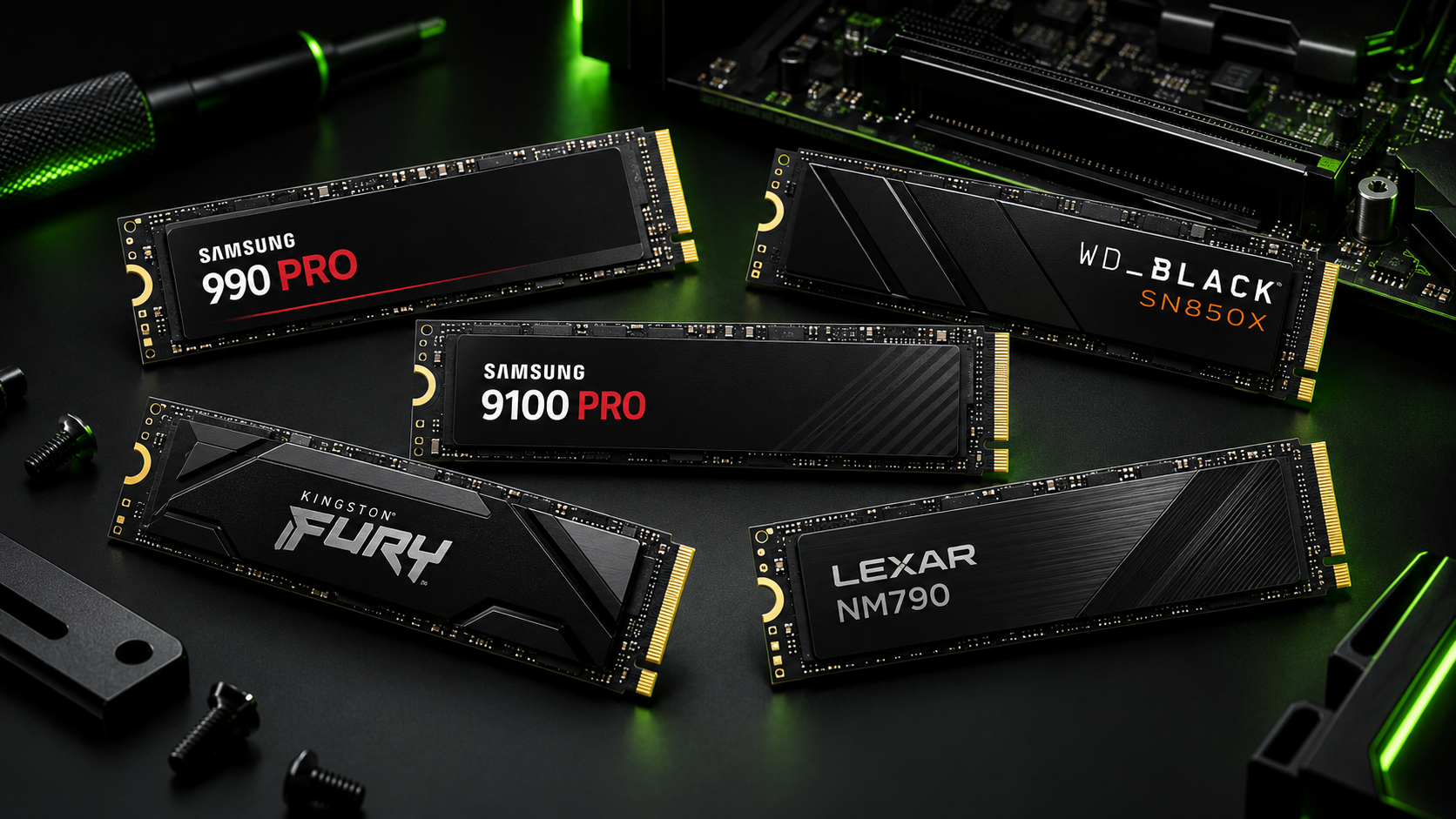
Quick verdict: A 2TB PCIe 4.0 NVMe SSD remains the best-value choice for most gaming PCs in 2026. The Samsung 990 PRO is our best overall pick, while the WD_BLACK SN850X is usually the first model to compare when price matters. PCIe 5.0 drives such as the Samsung 9100 PRO are much faster in large transfers, but they rarely transform ordinary game loading enough to justify sacrificing capacity.
SSD prices change quickly and the same model can b e excellent at one price and poor value at another. Compare the exact capacity, heatsink version and seller before buying. For a new gaming library, 2TB is the sensible target: modern games can exceed 100GB, and an SSD should not be filled completely if you want it to maintain comfortable working space.
The best PC gaming SSDs at a glance
| SSD | Best for | Interface | Capacity to target |
|---|---|---|---|
| Samsung 990 PRO | Best overall | PCIe 4.0 | 2TB |
| WD_BLACK SN850X | Best-value premium drive | PCIe 4.0 | 2TB |
| Samsung 9100 PRO | Fastest enthusiast option | PCIe 5.0 | 2TB or 4TB |
| Kingston FURY Renegade G5 | PCIe 5.0 alternative | PCIe 5.0 | 2TB |
| Lexar NM790 | Affordable high capacity | PCIe 4.0 | 2TB or 4TB |
1. Samsung 990 PRO 2TB – best overall gaming SSD
The 990 PRO is still the easiest premium recommendation for a gaming PC. It offers excellent PCIe 4.0 performance, strong software support through Samsung Magician and broad compatibility with modern desktop motherboards. A 2TB model balances price and capacity well, while the optional heatsink version is useful when a motherboard does not provide its own M.2 cooler.
- Buy it for: a fast, dependable primary drive for Windows, applications and a large game library.
- Check before buying: whether your motherboard already includes an M.2 heatsink—you normally need one heatsink, not two.
- Skip it if: the SN850X or NM790 offers substantially more capacity for similar money.
2. WD_BLACK SN850X 2TB – best-value premium SSD
The SN850X remains a strong gaming-focused PCIe 4.0 drive. In everyday play it feels just as responsive as more expensive alternatives, and frequent discounts can make the 2TB version particularly attractive. Both bare-drive and heatsink versions exist, so choose the one that suits the motherboard rather than paying twice for cooling hardware.
- Buy it for: high-end PCIe 4.0 performance when it costs less than the 990 PRO.
- Check before buying: exact capacity and heatsink version; similar-looking listings can differ.
- Skip it if: a cheaper modern drive lets you move from 1TB to 2TB within the same budget.
3. Samsung 9100 PRO – best enthusiast PCIe 5.0 SSD
The 9100 PRO is for an enthusiast who wants the speed of a modern PCIe 5.0 platform and also works with large files. Its headline sequential performance is far beyond a Gen4 drive, although that gap is much less dramatic in normal game-loading screens. It needs a compatible Gen5 M.2 slot and effective cooling to deliver its best performance.
- Buy it for: a no-compromise new PC used for gaming, video editing and large transfers.
- Check before buying: that the chosen M.2 slot actually supports PCIe 5.0 without disabling or reducing other motherboard connections.
- Skip it if: purchasing it means settling for 1TB instead of a good 2TB Gen4 drive.
4. Kingston FURY Renegade G5 – best PCIe 5.0 alternative
Kingston’s FURY Renegade G5 is the alternative to compare with the Samsung when you want Gen5 performance. It targets demanding enthusiast systems and benefits from a substantial motherboard heatsink. The deciding factors should be price, capacity, warranty and which drive is properly supported by your board—not a tiny difference in maximum benchmark figures.
- Buy it for: a high-end PCIe 5.0 build when it undercuts the 9100 PRO.
- Check before buying: cooling, motherboard lane sharing and the warranty for the exact capacity.
- Skip it if: your PC has only Gen4 M.2 slots; it can work at a lower speed, but the premium is then wasted.
5. Lexar NM790 – best affordable high-capacity gaming SSD
The NM790 is the capacity-first recommendation. It is a fast, efficient PCIe 4.0 drive that can make 2TB or even 4TB practical without charging premium-brand prices. It does not need to win every workstation benchmark to be an excellent games drive, and its relatively efficient design is also helpful in laptops and compact PCs.
- Buy it for: a large Steam, Xbox or Epic library and strong real-world value.
- Check before buying: seller, warranty, capacity and whether a heatsink must be purchased separately.
- Skip it if: the price is too close to the 990 PRO or SN850X.
PCIe 4.0 vs PCIe 5.0 for gaming
PCIe 5.0 offers much higher peak bandwidth, but current games do not usually turn that full difference into noticeably shorter loading times. A quality Gen4 drive already loads games quickly and leaves more budget for the graphics card, processor or additional storage. Gen5 becomes easier to justify when the same PC handles large video projects, heavy content creation or repeated file transfers.
Before paying for Gen5, check the motherboard manual. Some M.2 slots share lanes with the graphics slot or SATA ports, and not every physical slot runs at the same speed. Our best AM5 motherboards guide explains the platform choices, while the best graphics cards guide helps decide where the budget will improve gaming more.
Is 1TB enough, or should you buy 2TB?
One terabyte is adequate for Windows and a carefully managed selection of games. For a new gaming PC, 2TB is the better long-term balance: it reduces uninstalling and downloading, gives large updates more working room and often costs less per gigabyte. A 4TB model makes sense for a very large library or slow broadband, provided the price per terabyte is competitive.
Do NVMe SSDs need a heatsink?
High-performance NVMe drives can throttle when they become too hot. Most current gaming motherboards include at least one M.2 heatsink, which is normally sufficient for a Gen4 drive. Faster Gen5 drives need more attention to cooling. Never force a motherboard heatsink on top of a retail SSD that already has a tall heatsink fitted.
Gaming SSD buying checklist
- Confirm the motherboard accepts an M.2 2280 NVMe drive.
- Choose 2TB where the budget allows.
- Check the speed supported by the exact M.2 slot.
- Read the motherboard manual for lane-sharing restrictions.
- Use one suitable heatsink and remove its protective film before installation.
- Keep firmware updated with the manufacturer’s utility.
- Maintain a separate backup—an SSD is storage, not a backup plan.
Frequently asked questions
Will a faster SSD increase gaming FPS?
Usually not by a meaningful amount. The SSD mainly affects loading, installation, patching and asset streaming. Frame rate depends much more on the graphics card and processor.
Can a PCIe 4.0 SSD work in a PCIe 3.0 slot?
Normally yes, because PCIe is backward compatible, but the drive will be limited by the slower slot. Always confirm support in the motherboard or laptop manual.
Should Windows and games be on the same SSD?
That is perfectly fine for most gaming PCs. Separate drives can simplify organisation or provide extra capacity, but they are not required for good gaming performance.
Affiliate disclosure: Pixalrig may earn a commission from qualifying purchases made through links in this guide, at no extra cost to you. Recommendations are based on specifications, compatibility, market position and value; always verify the exact model, capacity and seller before buying.
Related Pixalrig guides
Check drive compatibility with our best AM5 motherboards, explore the complete £1,000 gaming PC build, or compare our best SSDs for PS5 Pro.

Pixalrig
Pixalrig delivers practical UK gaming coverage, straightforward hardware advice and buying guides focused on genuine value.